
Scope
This article describes the camera‑specific options that are exclusive to the Air Solution and not yet included in the official documentation as of 2026.
Camera — “Screen Detect”
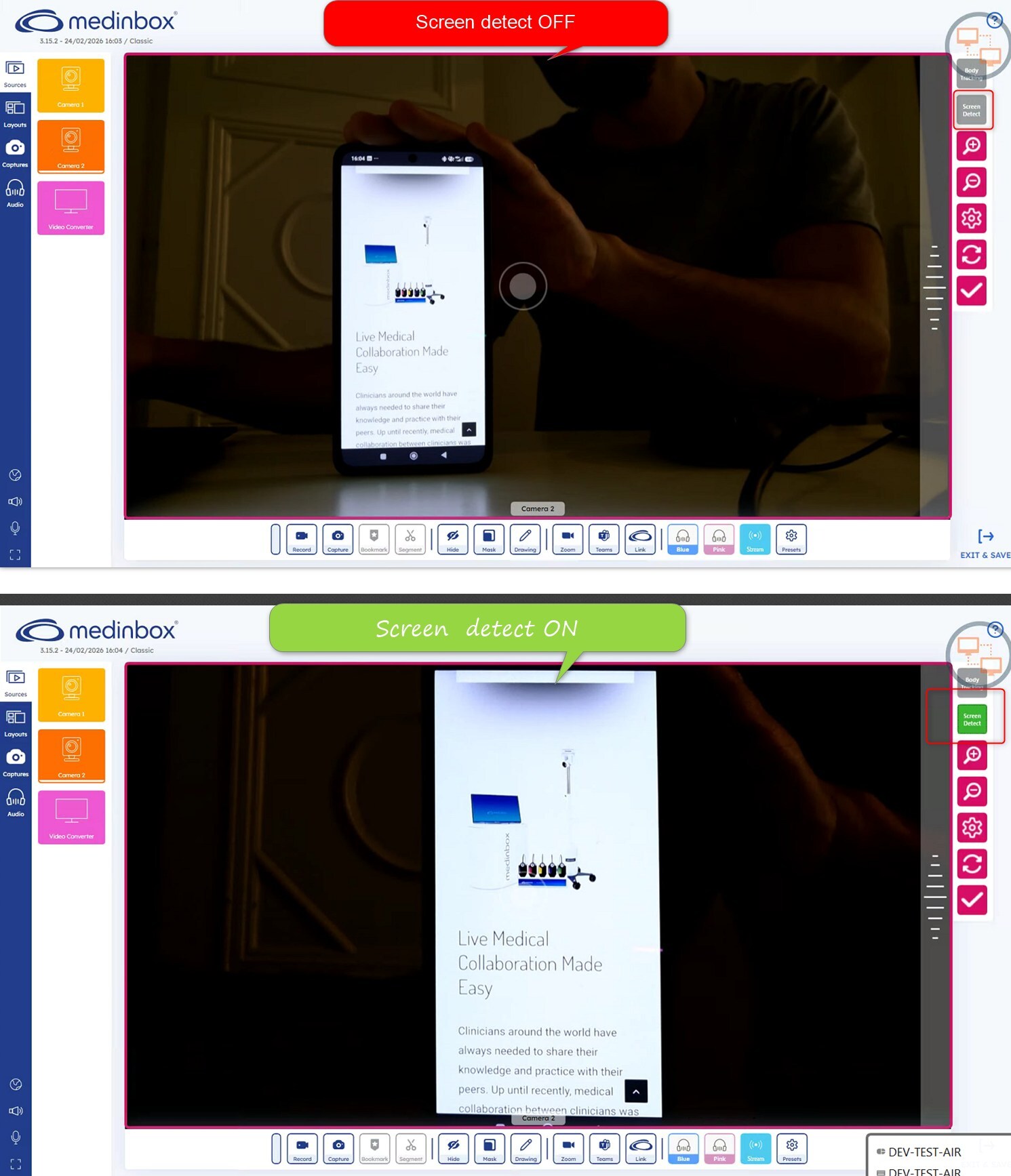
This option enables intelligent detection of a screen within the camera’s field of view.
When a screen is identified, the camera automatically zooms in to frame it.
How to access this option:
- In Producer, open the Camera Source.
- Select the camera to highlight it.
- Choose “Screen Detect” from the available options.
Camera — “Body Tracking”
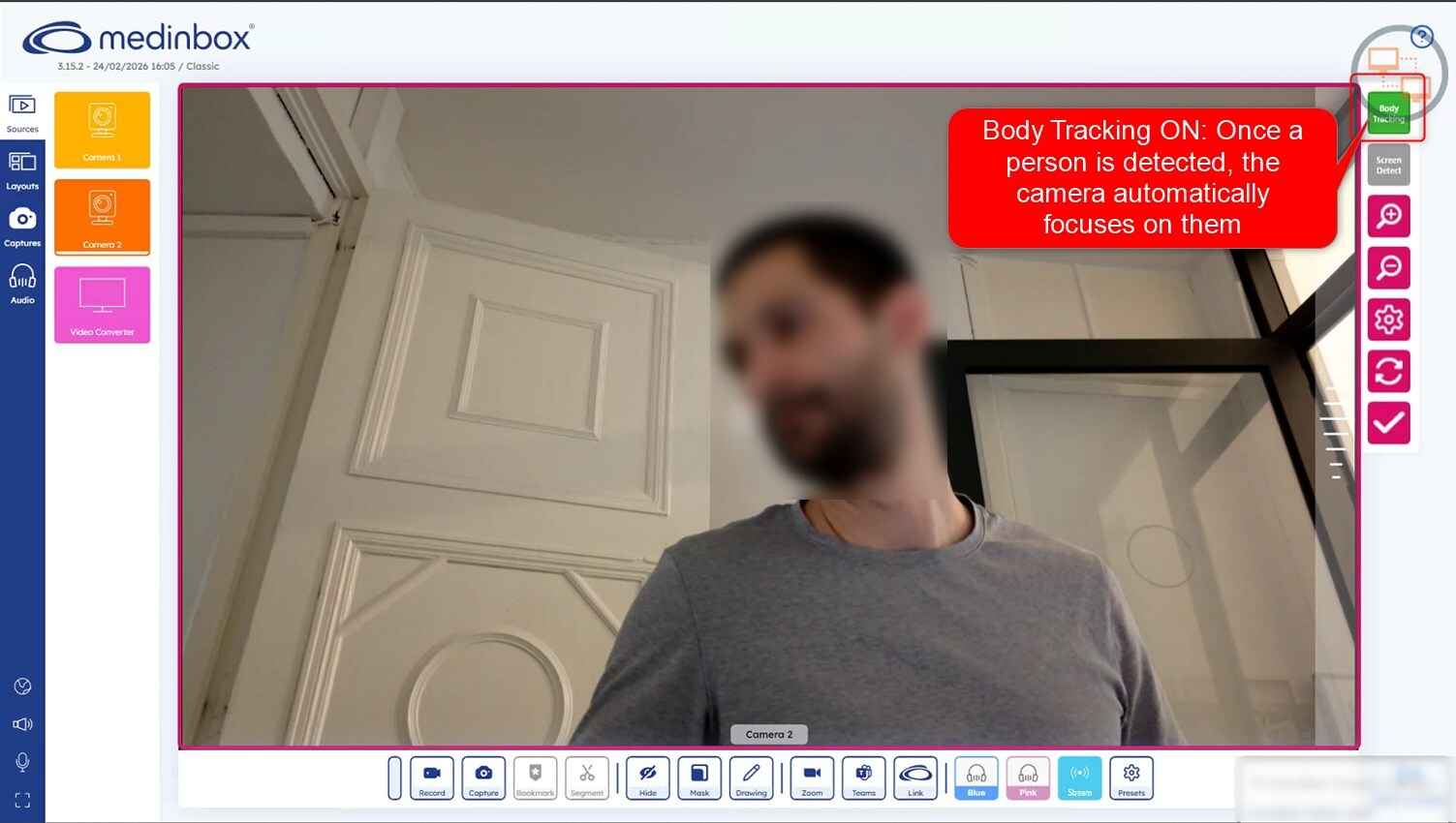
This option provides smart detection of a person within the scene.
Once a person is detected, the camera automatically focuses on them and dynamically tracks their movements.
How to access this option:
- In Producer, open the Camera Source.
- Select the camera to highlight it.
- Choose “Body Tracking” from the available options.
Related to