
If a white or blue light is flashing on a docking station, this indicates that the Headset and its Docking Station are no longer paired.
A straightforward solution exists for this issue.
Step 1:
Remove the Headset from the Docking Station and start the sync process by holding the multifunction button for about 5-10 seconds (the button at the center of the headset) until a white light flashes rapidly on the headset.
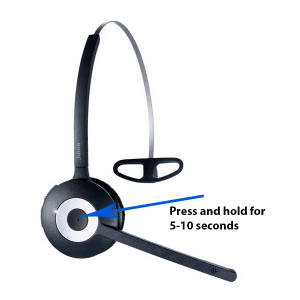
Reposition the headset onto the Docking Station and release the button. The blue LED on the docking station should now be flashing.
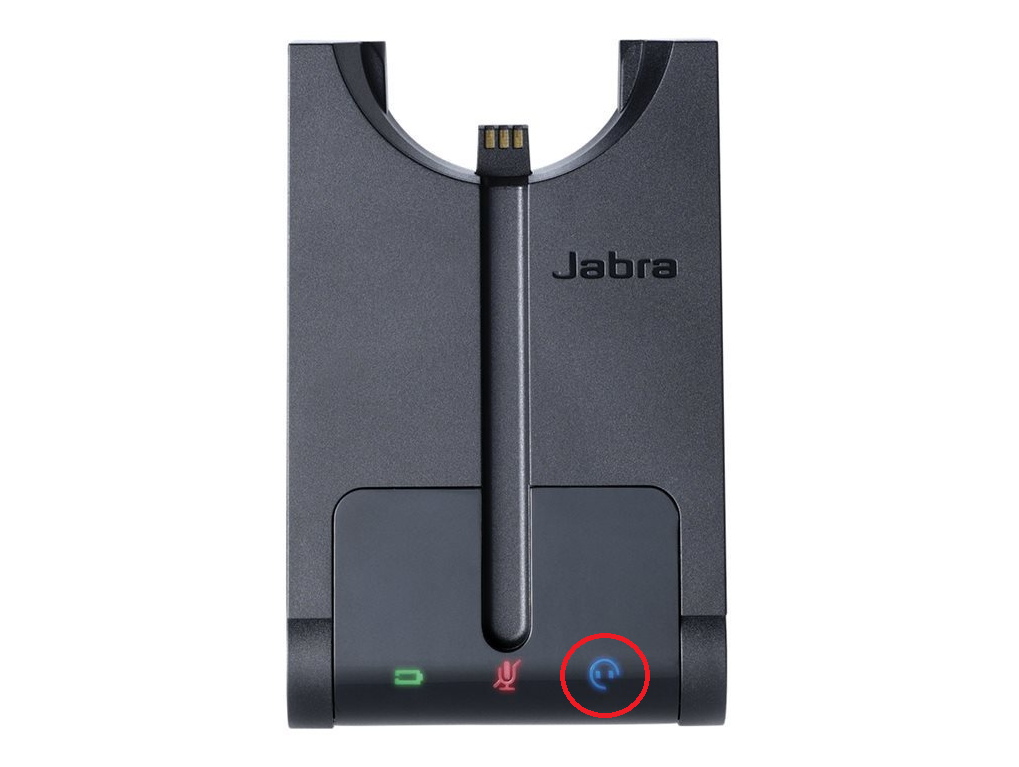
The sync process can take up to two minutes.
The docking station should now display only green led. If not, go to step 2.
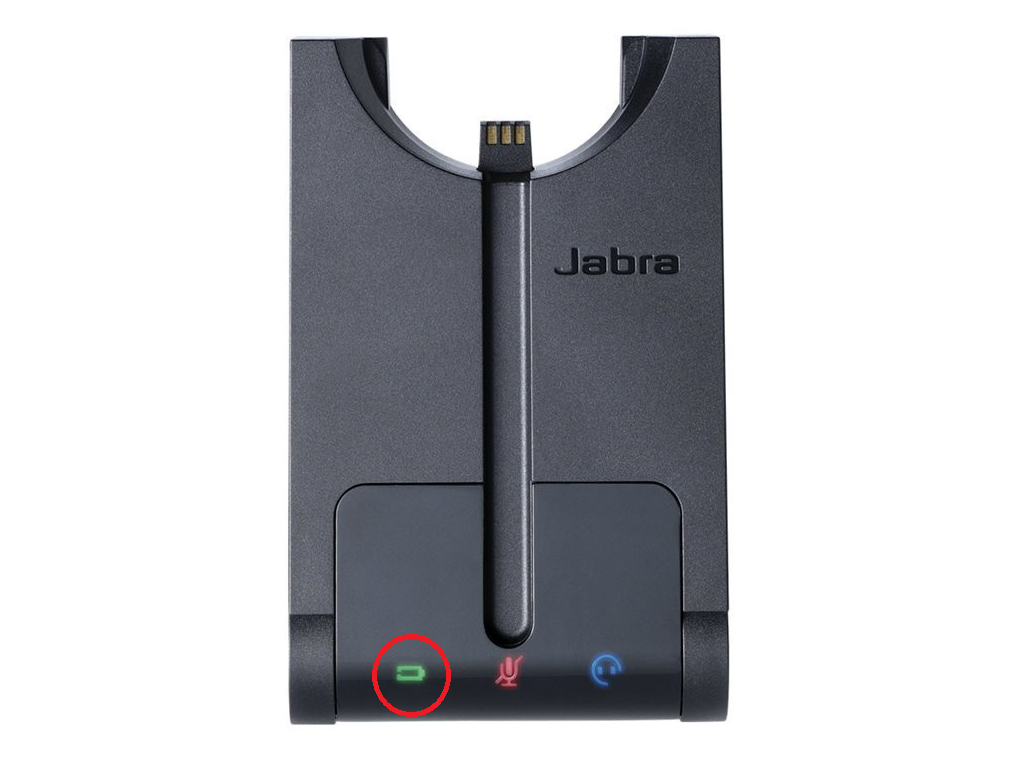
Step 2:
Proceed to the rear side of the audiobox. An ON/OFF switch is situated slightly above the power cable.
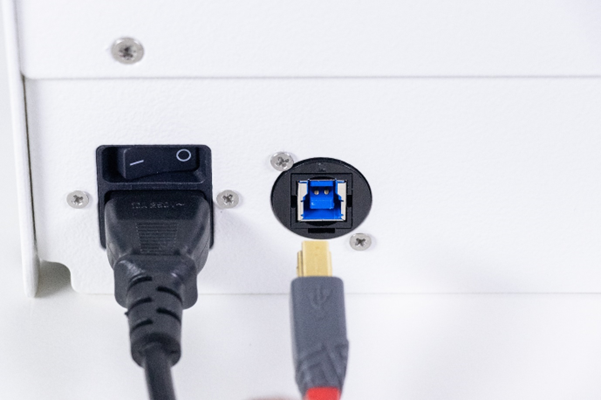
Press the button in the OFF position. Wait a 10 seconds and turn it ON again.
The docking station should now display a green led. If not, go to step 3.
Step 3:
Should the prior steps prove ineffective, it will be necessary to disconnect the USB cord extending from the audiobox or USB hub. Subsequently, reconnect the USB cord to a different USB port on the computer.
The docking station should now display a green led. If not, go to step 4.
Step 4:
If the previous steps do not yield results, it might be necessary to inspect the audiobox internally. Verify the correct connection of the power cable and USB cable to the docking station.
A Torx screwdriver is necessary to loosen the two screws located at the back of the AudioBox.
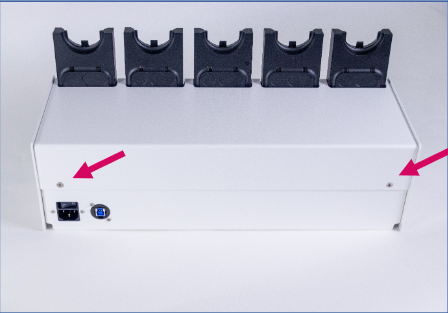
Once unscrewed, lift the top cover to expose the Docking stations cables.
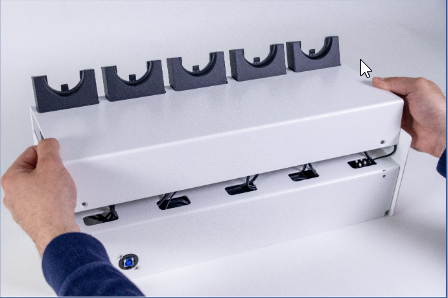
Once opened, the box looks like this:
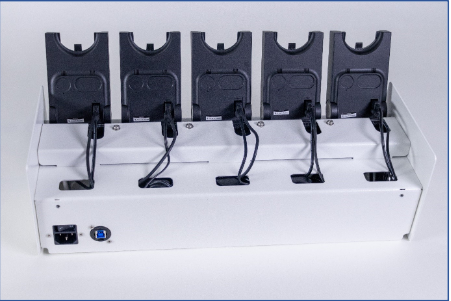
Check that all the cables are correctly connected and secured.
Related to