
Prerequisite
Obtain Medinbox service user credentials from the Medinbox support team.
Disclaimer: These actions are intended to be carried out exclusively by Local IT personnel or trained Biomedical technicians.
Set Proxy settings with the dedicated Windows menu
You can also do it directly from the proxy settings on the medinbox-user account if you already added visibility on the settings page (following this procedure )
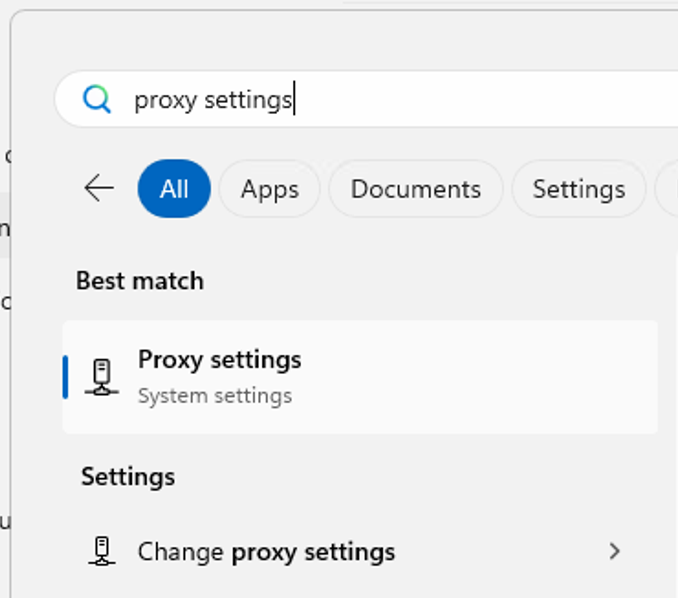
Press the Windows key then type Proxy settings and click Change proxy settings.
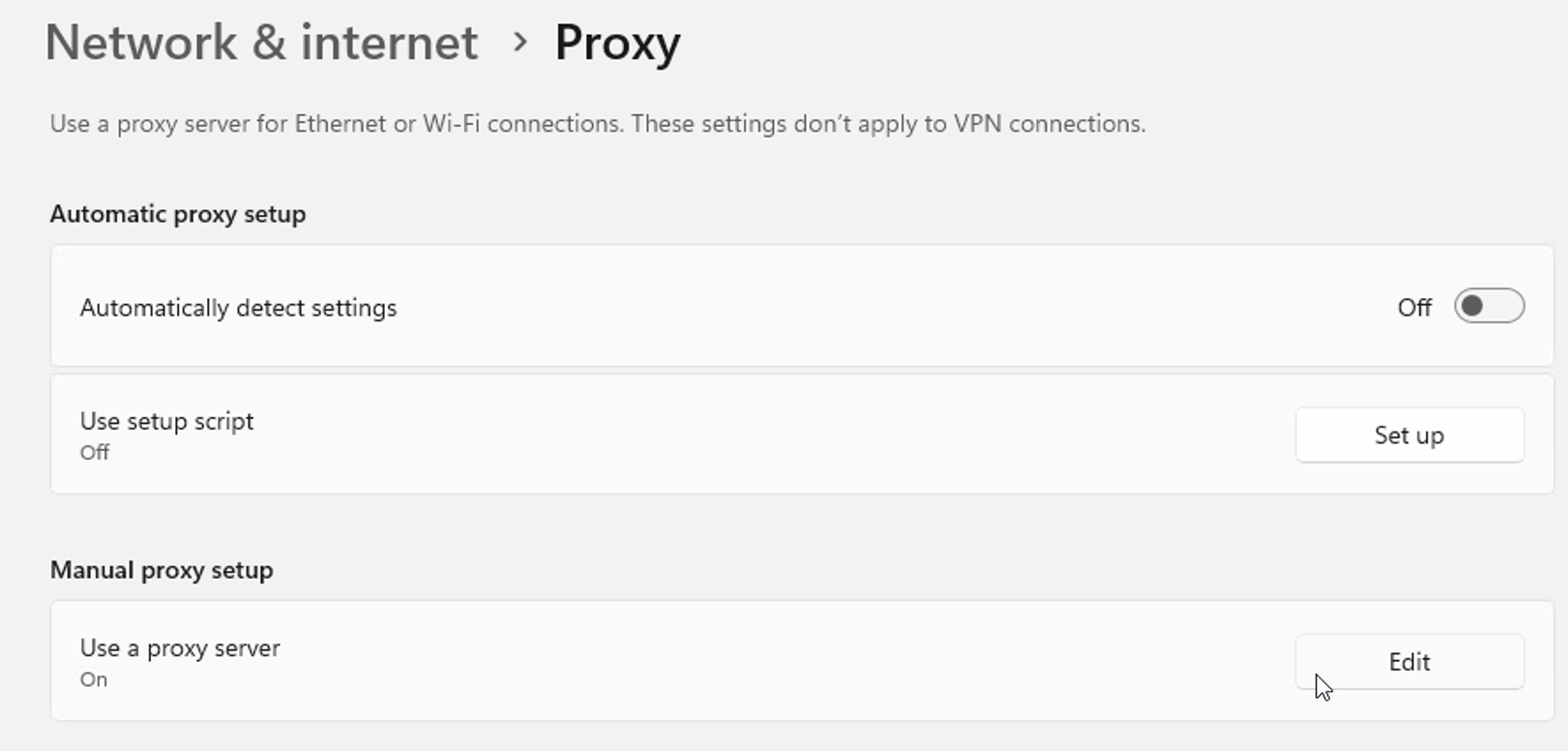
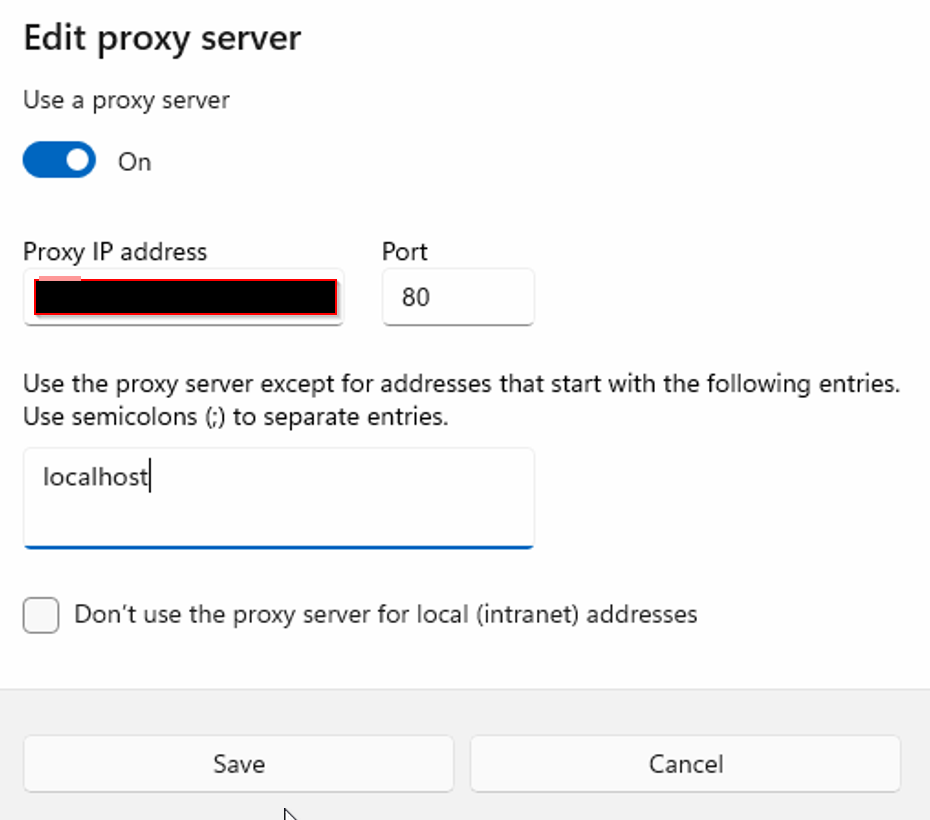
Click Edit, add your proxy address and port, add localhost to the proxy exceptions for the license to be correctly recognized. Don't forget to save.
Set Proxy settings with a CMD command
CMD method (with admin rights, from the account that needs the proxy):
From an admin CMD, type the three following commands:
- reg add "HKCU\Software\Microsoft\Windows\CurrentVersion\Internet Settings" /v ProxyEnable /t REG_DWORD /d 1 /f
- reg add "HKCU\Software\Microsoft\Windows\CurrentVersion\Internet Settings" /v ProxyServer /t REG_SZ /d [PROXY ADDRESS] /f
(add proxy address and don't forget the port (ex: http://medinbox.com:80)
- reg add "HKCU\Software\Microsoft\Windows\CurrentVersion\Internet Settings" /v ProxyOverride /t REG_SZ /d "localhost" /f