
To update the time and date of a system please follow the below steps:
- Connect on the system's Support session
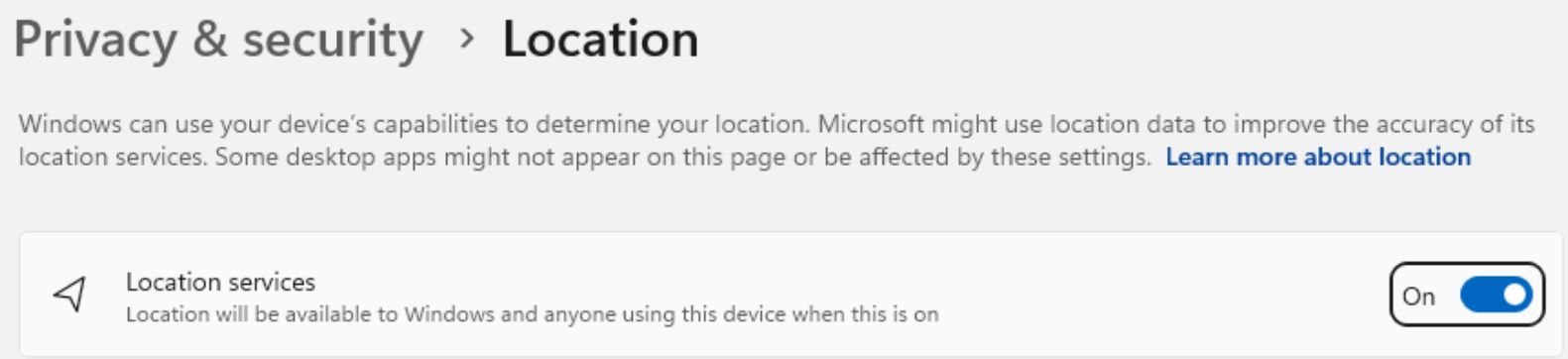
- Make sure the location services are enabled
- Reach the Date & Time settings
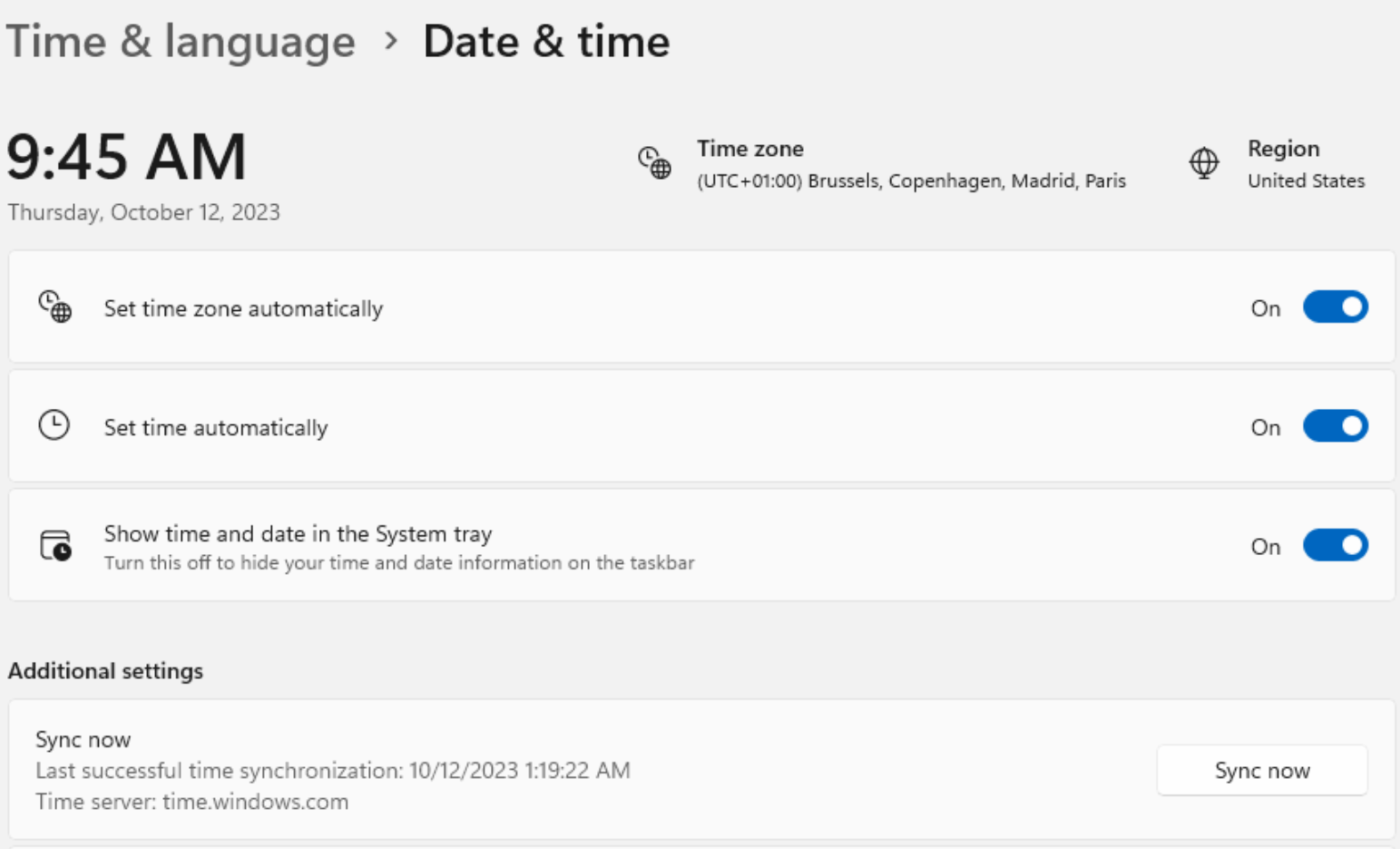
- Set the time zone automatically, then press Sync now.
The time and the date of the device will be updated based on its location.
Related to